Launch Reporting App
Rad AI Reporting allows deep-linking into the desktop app using the radai custom protocol.
FHIR Resources
Deep-link directly to FHIR resources within the Rad AI Reporting desktop app.
ImagingStudy
Create Report
Example deep-link:
radai://launch/ImagingStudy?identifier={value}
Rad AI Reporting loosely follows the FHIR search token specification to match the ImagingStudy.identifier.
This will open the Rad AI Reporting desktop app to a new report based off of the provided ImagingStudy.
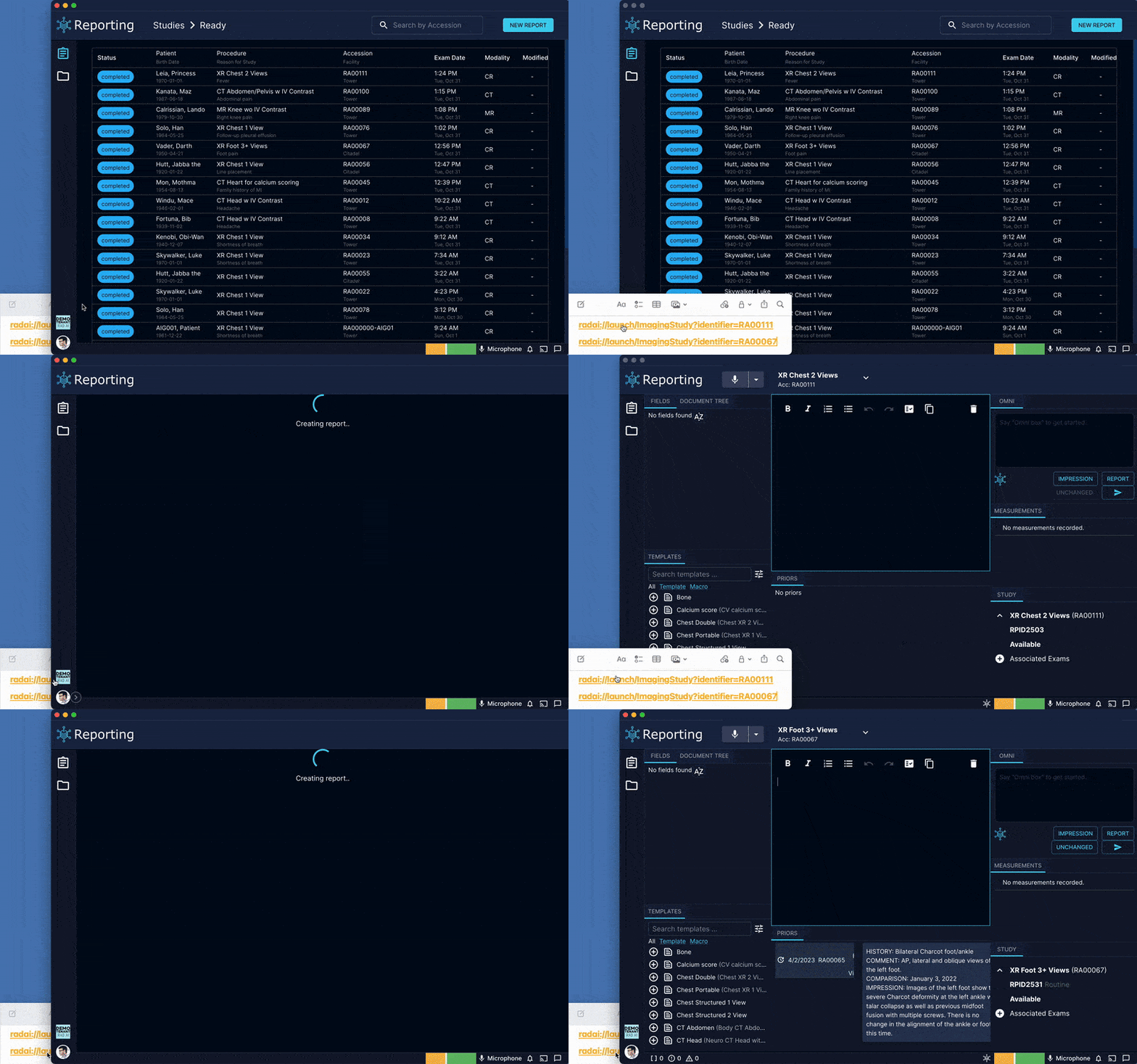
Rad AI Reporting loosely follows the FHIR search token specification to match the ImagingStudy.identifier.
Support Formats
The following formats for {value} are supported.
[code][code]matches an Identifier.value irrespective of the value of the system property
|[code][code]matches an Identifier.value where the Identifier has no system property
[system]|[code][code]matches an Identifier.value[system]matches the system property of the Identifier
Unsupported Formats
The following formats for {value} are not supported.
[system]|- Any ImagingStudy where the value of
[system]matches the system property of the Identifier - Not supported
- Any ImagingStudy where the value of
Examples
| Deep-Link | Description |
|---|---|
| radai://launch/ImagingStudy?identifier=12345 | Created a new report based off of the ImagingStudy with the identifier 12345 |
| radai://launch/ImagingStudy?identifier=https://hospital.radai.com/accession|12345 | Created a new report based off of the ImagingStudy with the identifier 12345 and the system https://hospital.radai.com/accession |
FHIRcast Launch
Rad AI Reporting supports an alternate app launch to set the FHIRcast hub.topic.
If you just want to launch Rad AI Reporting and set the FHIRcast hub.topic, you can use the following deep-link:
The hub.topic={topic-id} query parameter is enabled on all radai://launch deep-links, so you can use it in conjunction with other deep-links.
Example: create a report and set the FHIRcast
hub.topicusing the following deep-link:
radai://launch/ImagingStudy?identifier={value}&hub.topic={topic-id}
These links will set the FHIRcast hub topic to the provided topic-id.
If the desktop app is closed and reopened, the FHIRcast topic will be lost. If this happens, you'll need to deep-link into the app to reconnect to your FHIRcast server.